Sprunki Winter Holidays
Trending New Games
Loading games...
About- Sprunki Winter Holidays
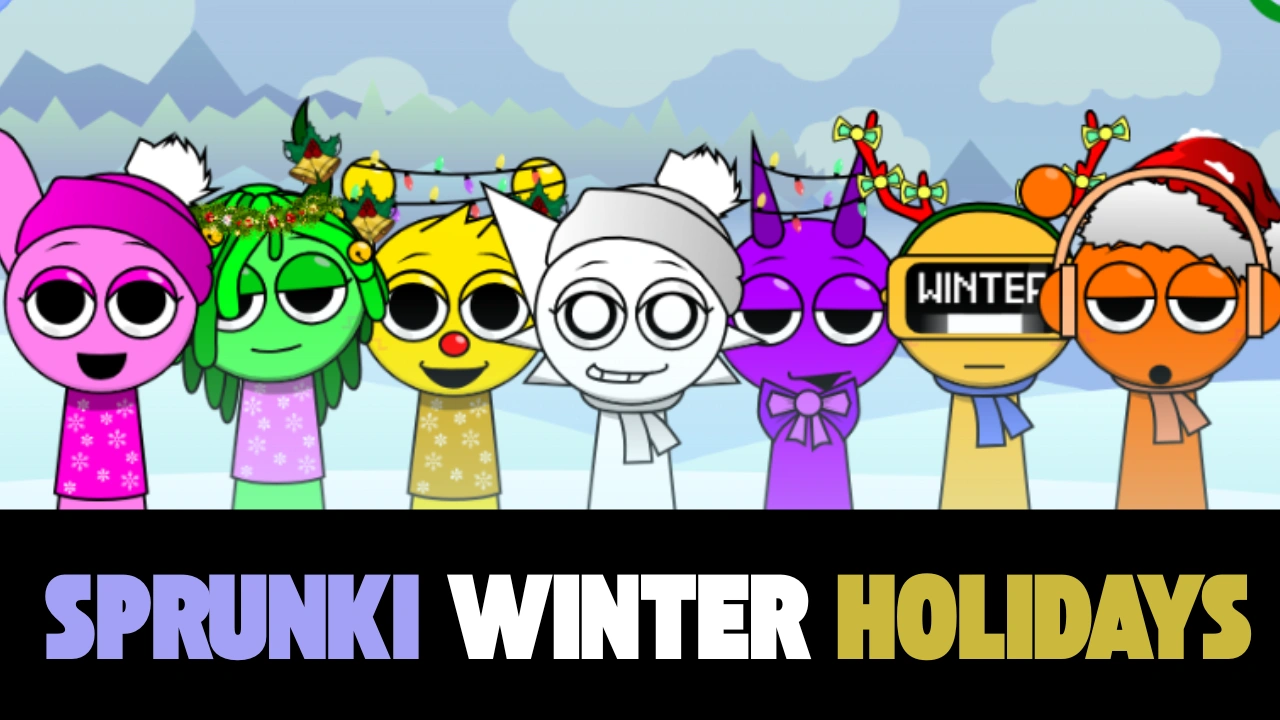
The holiday season just got a whole lot groovier with Sprunki Winter Holidays – the special Christmas and winter-themed edition that transforms the original sprunki mods into a snowy wonderland filled with jingle bells, festive beats, and cheerful characters dressed in scarves, Santa hats, and reindeer antlers.
This limited-time version replaces the standard characters with adorable holiday-themed Sprunkis, adds frosty visual effects, falling snow, twinkling lights, and brand-new Christmas-inspired sound packs that make every mix feel like opening presents on Christmas morning.
Every year, the Sprunki community waits excitedly for the winter update, and the 2025 edition is the most magical yet. The entire interface turns into a cozy Christmas village scene complete with glowing street lamps, decorated Christmas trees, and gentle snowfall in the background.
The color palette shifts to deep evergreen, sparkling silver, warm gold, and classic Christmas red, creating an atmosphere that instantly puts you in the holiday spirit.
How to Play- Sprunki Winter Holidays
Getting started is incredibly simple and takes less than 30 seconds:
- Visit sprunkit.com
- The game loads instantly in your browser – no download required
- You'll see a row of festive characters at the bottom of the screen
- Click or tap any character to activate their sound loop
- Keep adding characters to layer by layer
- Drag characters left or right to change their position and volume balance
- Click a character again to mute them
Follow this proven formula used by top Sprunki Winter Holidays players:
- Start with a solid beat character (usually the reindeer or snowman)
- Add a warm bass line (try the Santa with the deep voice)
- Layer 2-3 melody characters (music box + bells + children's choir works beautifully)
- Sprinkle in vocal hooks (“Jingle Bells” singer and “Ho Ho Ho” guy are fan favorites)
- Add atmospheric effects last (fireplace crackle + gentle wind = instant cozy)
- Fine-tune volumes by dragging characters higher or lower on screen
The Winter Holidays version is famous for its secret characters that only appear under special conditions:
Frosty the Snowman – Appears after you make a mix that uses only white and light blue characters
Rudolph – Unlocks when your mix has more than 12 active characters and includes at least 3 bell sounds
Mrs. Claus – Shows up if you leave the game running idle for 10+ minutes (she brings cookies!)
The Grinch (good version!) – Appears randomly but only plays beautiful heartfelt melodies
Baby New Year – Only available from December 31st – January 2nd with countdown effects
- Use the spacebar to quickly pause/unpause all sounds – great for building tension
- Record your mix by clicking the red record button (top right) to save and share
- Try muting the beat temporarily to focus on building melodies first
- Characters animate more when their volume is higher – use this for visual appeal in recordings
- The snow falls faster when your mix has lots of high-frequency sounds (cymbals, bells)
- Some characters change color based on what others are playing next to them
The combination of adorable holiday visuals, perfectly crafted Christmas sounds, and the simple-yet-deep music creation system makes it one of the most beloved seasonal browser games every year.